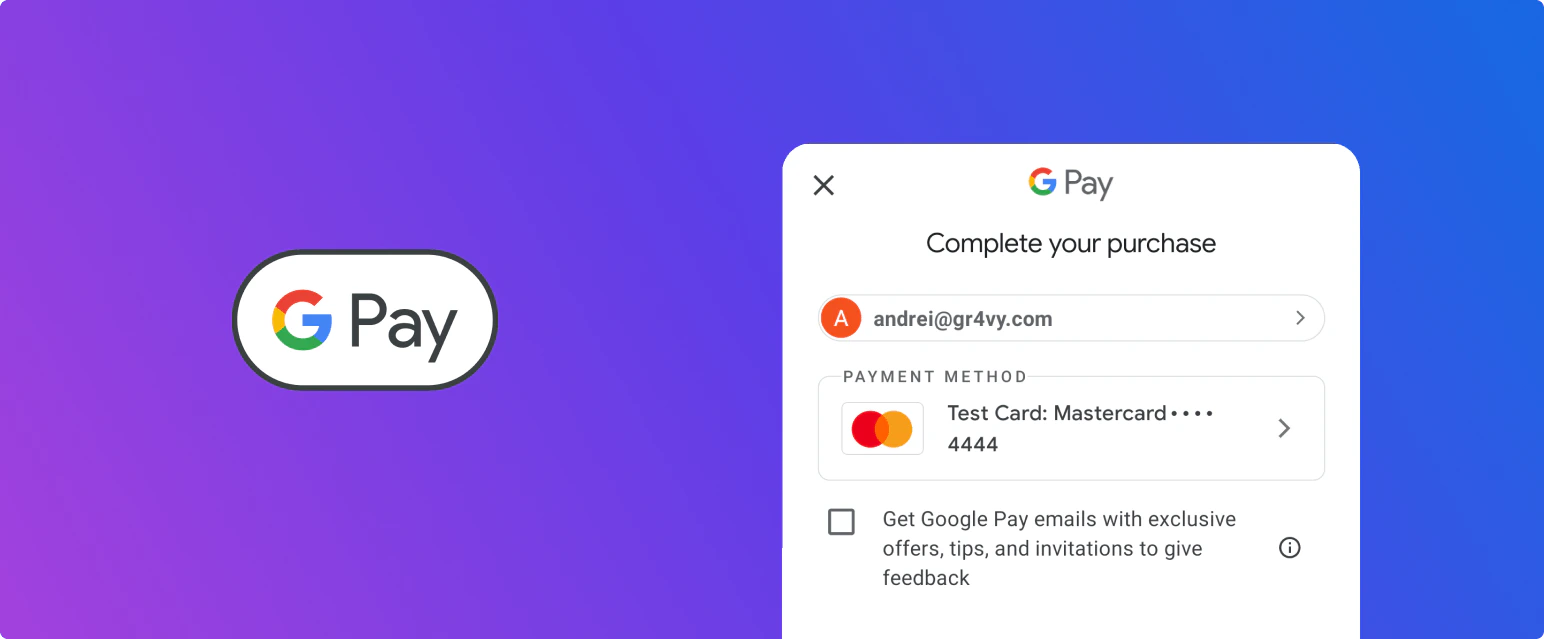
Google Pay is a wallet, not a payment processor. The system integrates with Google directly for
the wallet itself: it runs the Google Pay session and decrypts the payment token, which is why no
Google gateway setup is needed. The result is still a card payment, and one of your card
connections has to authorize it.To accept Google Pay, you need:
A card connection that supports the transaction’s currency and country.
A payment service that accepts decoded Google Pay tokens. Because the system decrypts the
token, it sends decoded device tokens to your payment service instead of encrypted gateway
tokens. Not all payment services support these, and some need the feature switched on, so
check with your payment service provider.
Google Pay payments are routed like any other card transaction, through the
card transactions Flow. To send them to a particular
connection, add a rule with the Card source condition set to Google Pay.On a Google Pay transaction, payment_method.method describes how the buyer paid, while
payment_method.scheme holds the brand of the underlying card, for example amex. Depending on
the card, Google Pay returns either a device token with a cryptogram or the card’s own number
without a cryptogram. Google calls these CRYPTOGRAM_3DS and PAN_ONLY. A CRYPTOGRAM_3DS payment
has a method of googlepay, and a PAN_ONLY payment has a method of googlepay_pan_only. The system
passes either kind to your card connection, and the connection and issuer can treat them differently.
On the web, Google Pay can be easily integrated both with and without Embed. In both offerings, the need to sign up for a Google Developer account has been removed, reducing additional financial and maintenance costs.
On Android, Google Pay can be easily integrated both with and without the SDK. In both offerings, the need to sign up for a Google Developer account has been removed, reducing additional financial and maintenance costs.
A device token (CRYPTOGRAM_3DS), which carries a cryptogram. Gr4vy doesn’t run 3-D Secure for these.
A card saved in the buyer’s Google Account (PAN_ONLY), which is common on the web. Gr4vy processes
these like any other card, so 3-D Secure can apply when it’s turned on for the connection.
When 3-D Secure applies, the transaction returns the status buyer_approval_pending. Send the buyer to
the payment_method.approval_url, even if no challenge is shown, and include a redirect_url when you
create the transaction. If the buyer isn’t sent to the approval URL, the transaction fails when the
approval expires. Embed handles this for you. For integrations without Embed, see
handle a redirect.
Recurring payments are supported on Google Pay in a similar way to how
recurring payments are supported for regular card payments.
Take the first payment with the Google Pay token and store: true, with merchant_initiated and
is_subsequent_payment set to false and a payment_source such as recurring. This stores the
Google Pay payment method.
Charge later payments with the stored payment method id, the same payment_source, and
merchant_initiated and is_subsequent_payment set to true.
A stored Google Pay payment method has no cryptogram, because the cryptogram only exists for the original
payment on the buyer’s device. Later payments rely on the recurring flags and the scheme transaction ID
from the first payment instead, so payment services may decline a later payment that’s sent with the
flags of a first payment.
To facilitate recurring Google Pay payments, your payment service provider needs to
support decoded Google Pay tokens as well as recurring payment flags. Please contact your
payment service provider to enable this feature.
{"docsConfig":{"theme":"palm","$schema":"https://mintlify.com/docs.json","name":"Gr4vy","colors":{"primary":"#0066CC","light":"#0099FF","dark":"#0066CC"},"logo":{"light":"https://mintcdn.com/flexxbuy/AxFxa3X7-38b2HYz/assets/logos/light.svg?fit=max\u0026auto=format\u0026n=AxFxa3X7-38b2HYz\u0026q=85\u0026s=c8c719a4e76f3fc4418d42afd2c0ee99","dark":"https://mintcdn.com/flexxbuy/AxFxa3X7-38b2HYz/assets/logos/dark.svg?fit=max\u0026auto=format\u0026n=AxFxa3X7-38b2HYz\u0026q=85\u0026s=7a09594217c27f95e0d127250c4cc958"},"favicon":"https://mintcdn.com/flexxbuy/39tfKGesfNHyX7HE/assets/favicon.png?fit=max\u0026auto=format\u0026n=39tfKGesfNHyX7HE\u0026q=85\u0026s=fc89afd637da9116e218f41f2c6b1105","api":{"playground":{"display":"simple"},"examples":{"defaults":"required","languages":["csharp","go","java","php","python","javascript","curl"]},"mdx":{"auth":{"method":"bearer"},"server":["https://api.sandbox.flexxbuy.gr4vy.app","https://api.flexxbuy.gr4vy.app"]}},"navbar":{"links":[{"icon":"bell","href":"https://status.gr4vy.com","label":"Status"},{"icon":"github","href":"https://github.com/gr4vy","label":"GitHub"}],"primary":{"type":"button","label":"Gr4vy","href":"https://gr4vy.com/#form-contact"}},"footer":{"socials":{"website":"https://gr4vy.com","twitter":"https://twitter.com/Gr4vyInc","github":"https://github.com/gr4vy","linkedin":"https://www.linkedin.com/company/gr4vy-inc"},"links":[{"header":"About","items":[{"label":"Payment orchestration","href":"https://gr4vy.com/payment-orchestration"},{"label":"Gr4vy for merchants","href":"https://gr4vy.com/merchants"},{"label":"Gr4vy for platforms","href":"https://gr4vy.com/platforms"},{"label":"Increasing your revenue","href":"https://gr4vy.com/revenue"}]},{"header":"Developers","items":[{"label":"GitHub","href":"https://github.com/gr4vy"},{"label":"Latest news","href":"https://docs.gr4vy.com/updates"},{"label":"System status","href":"https://status.gr4vy.com"},{"label":"Customer support","href":"https://support.gr4vy.com"}]}]},"styling":{"eyebrows":"breadcrumbs","codeblocks":"system","latex":true},"integrations":{"gtm":{"tagId":"G-9CX4E9QWKQ"}},"contextual":{"options":["chatgpt","claude","copy","view"],"display":"header"},"interaction":{"drilldown":true},"navigation":{"pages":[]}},"deployment":{"deploymentMetadataValue":{"subdomain":"flexxbuy","hasAudioNarration":false,"actualSubdomain":"flexxbuy","customDomains":["docs.byzly.com"],"gitSource":{"type":"github","owner":"gr4vy","repo":"flexxbuy-docs-mintlify","deployBranch":"main","contentDirectory":"","isPrivate":true,"mountPath":"","label":""},"chroma":{"liveDeploymentHistoryId":"6adf64bc3d6319f7be041995","collectionId":"bdb65d06-a21b-40ca-800b-8b423f379e82","schemaVersion":"v3","latestBuiltDeploymentHistoryId":"6adf64bc3d6319f7be041995"},"entitlements":{"AI_CHAT":{"status":"DISABLED"}},"buildId":"6adf64bc3d6319f7be041995","clientVersion":"0.0.3966","searchFilterCounts":[{"language":"default","tag":"Build","count":195},{"language":"default","tag":"API Reference","count":171},{"language":"default","tag":"Connections","count":168},{"language":"default","tag":"Methods","count":141},{"language":"default","tag":"Features","count":95},{"language":"default","tag":"Integration guides","count":91},{"language":"default","tag":"Banking","count":46},{"language":"default","tag":"Dashboard","count":44},{"language":"default","tag":"Other","count":39},{"language":"default","tag":"Embed","count":38}]},"assistantConfig":{},"hasChatPermissions":false,"hasWebMcpPermissions":false,"toggles":[{"name":"kill-isr","enabled":true,"variant":{"name":"disabled","enabled":false,"feature_enabled":true},"impressionData":false},{"name":"agent-mintlify-slack","enabled":true,"variant":{"name":"disabled","enabled":false,"feature_enabled":true},"impressionData":false},{"name":"editor-v7-file-tree","enabled":true,"variant":{"name":"disabled","enabled":false,"feature_enabled":true},"impressionData":false},{"name":"agent-integrations-settings","enabled":true,"variant":{"name":"disabled","enabled":false,"feature_enabled":true},"impressionData":false},{"name":"automations-pr-grouping","enabled":true,"variant":{"name":"disabled","enabled":false,"feature_enabled":true},"impressionData":false},{"name":"custom-prefix","enabled":true,"variant":{"name":"disabled","enabled":false,"feature_enabled":true},"impressionData":false},{"name":"analytics-v7","enabled":true,"variant":{"name":"disabled","enabled":false,"feature_enabled":true},"impressionData":false},{"name":"user-flows-analytics","enabled":true,"variant":{"name":"disabled","enabled":false,"feature_enabled":true},"impressionData":false},{"name":"no-publish-flow","enabled":true,"variant":{"name":"disabled","enabled":false,"feature_enabled":true},"impressionData":false},{"name":"workos-onboarding","enabled":true,"variant":{"name":"disabled","enabled":false,"feature_enabled":true},"impressionData":false},{"name":"llms-txt-v2","enabled":true,"variant":{"name":"disabled","enabled":false,"feature_enabled":true},"impressionData":false},{"name":"pause-universal-search-reconcile","enabled":true,"variant":{"name":"disabled","enabled":false,"feature_enabled":true},"impressionData":false},{"name":"snapshot-serving-live","enabled":true,"variant":{"name":"disabled","enabled":false,"feature_enabled":true},"impressionData":false},{"name":"stripTemperatureMiddleware","enabled":true,"variant":{"name":"disabled","enabled":false,"feature_enabled":true},"impressionData":false},{"name":"per-site-search-delta","enabled":true,"variant":{"name":"disabled","enabled":false,"feature_enabled":true},"impressionData":false},{"name":"support-platform-pylon-zendesk","enabled":true,"variant":{"name":"disabled","enabled":false,"feature_enabled":true},"impressionData":false},{"name":"snapshot-serving","enabled":true,"variant":{"name":"disabled","enabled":false,"feature_enabled":true},"impressionData":false},{"name":"instant-rollback","enabled":true,"variant":{"name":"disabled","enabled":false,"feature_enabled":true},"impressionData":false},{"name":"granular-notifications-server","enabled":true,"variant":{"name":"disabled","enabled":false,"feature_enabled":true},"impressionData":false},{"name":"granular-notifications","enabled":true,"variant":{"name":"disabled","enabled":false,"feature_enabled":true},"impressionData":false},{"name":"editor-private-page-search","enabled":true,"variant":{"name":"disabled","enabled":false,"feature_enabled":true},"impressionData":false},{"name":"automations-fable","enabled":true,"variant":{"name":"disabled","enabled":false,"feature_enabled":true},"impressionData":false},{"name":"fixed-ai-action-pricing","enabled":true,"variant":{"name":"disabled","enabled":false,"feature_enabled":true},"impressionData":false},{"name":"automation-resolve-merge-conflict","enabled":true,"variant":{"name":"disabled","enabled":false,"feature_enabled":true},"impressionData":false},{"name":"scoped-publishing","enabled":true,"variant":{"name":"disabled","enabled":false,"feature_enabled":true},"impressionData":false},{"name":"mintql","enabled":true,"variant":{"name":"disabled","enabled":false,"feature_enabled":true},"impressionData":false},{"name":"page-level-analytics","enabled":true,"variant":{"name":"disabled","enabled":false,"feature_enabled":true},"impressionData":false},{"name":"editor-version-history-v2","enabled":true,"variant":{"name":"disabled","enabled":false,"feature_enabled":true},"impressionData":false},{"name":"editor-nav-generations","enabled":true,"variant":{"name":"disabled","enabled":false,"feature_enabled":true},"impressionData":false},{"name":"billing-page-v2","enabled":true,"variant":{"name":"disabled","enabled":false,"feature_enabled":true},"impressionData":false},{"name":"workspace-projects","enabled":true,"variant":{"name":"disabled","enabled":false,"feature_enabled":true},"impressionData":false},{"name":"assistant-v5","enabled":true,"variant":{"name":"disabled","enabled":false,"feature_enabled":true},"impressionData":false},{"name":"byok-sep-25","enabled":true,"variant":{"name":"disabled","enabled":false,"feature_enabled":true},"impressionData":false},{"name":"fork-pr-previews","enabled":true,"variant":{"name":"disabled","enabled":false,"feature_enabled":true},"impressionData":false},{"name":"revalidation-jwt","enabled":true,"variant":{"name":"disabled","enabled":false,"feature_enabled":true},"impressionData":false},{"name":"vite-origin","enabled":true,"variant":{"name":"disabled","enabled":false,"feature_enabled":true},"impressionData":false},{"name":"editor-agent-model-picker","enabled":true,"variant":{"name":"disabled","enabled":false,"feature_enabled":true},"impressionData":false},{"name":"billing-updated-9-15","enabled":true,"variant":{"name":"disabled","enabled":false,"feature_enabled":true},"impressionData":false},{"name":"hobby-abuse-scan","enabled":true,"variant":{"name":"disabled","enabled":false,"feature_enabled":true},"impressionData":false},{"name":"dashboard-inbox","enabled":true,"variant":{"name":"disabled","enabled":false,"feature_enabled":true},"impressionData":false}],"isAtlas":false,"googleFontsInlined":false},"customCss":[{"filePath":"style.css","content":".payment-service-definition{background-color:#fff!important;border:1px solid #0a0e0d1a;border-radius:16px;padding:2em;vertical-align:middle}.payment-service-definition img{margin:0 1em 0 0;max-width:3em;display:inline-block}.payment-service-definition h2{margin:0;display:inline-block;position:relative;top:.1em}#sidebar-title{text-transform:uppercase}#sidebar-group .group{flex-direction:row-reverse}#footer .max-w-36{max-width:40rem}"}],"page":{"pagePath":"guides/features/google-pay/overview","slug":"/guides/features/google-pay/overview","pageMetadata":{"title":"Google Pay","sidebarTitle":"Overview","description":null,"href":"/guides/features/google-pay/overview"},"pageType":"default","mdx":{"mdxSource":{"compiledSource":"\"use strict\";const{Fragment:_Fragment,jsx:_jsx,jsxs:_jsxs}=arguments[0];const{useMDXComponents:_provideComponents}=arguments[0];function _createMdxContent(props){const _components={a:`a`,code:`code`,li:`li`,ol:`ol`,p:`p`,strong:`strong`,tbody:`tbody`,td:`td`,th:`th`,thead:`thead`,tr:`tr`,ul:`ul`,..._provideComponents(),...props.components},{Heading,OptimizedImage,Table,Tip,Warning}=_components;if(!Heading)_missingMdxReference(`Heading`,true);if(!OptimizedImage)_missingMdxReference(`OptimizedImage`,true);if(!Table)_missingMdxReference(`Table`,true);if(!Tip)_missingMdxReference(`Tip`,true);if(!Warning)_missingMdxReference(`Warning`,true);return _jsxs(_Fragment,{children:[_jsx(OptimizedImage,{src:`https://mintcdn.com/flexxbuy/39tfKGesfNHyX7HE/assets/images/google-pay/hero.png?fit=max\u0026auto=format\u0026n=39tfKGesfNHyX7HE\u0026q=85\u0026s=afbda2f67f7e391d2ad6682ee256dbe2`,alt:`Google Pay`,\"data-og-width\":`1544`,width:`1544`,\"data-og-height\":`639`,height:`639`,\"data-path\":`assets/images/google-pay/hero.png`,\"data-optimize\":`true`,\"data-opv\":`3`,srcset:`https://mintcdn.com/flexxbuy/39tfKGesfNHyX7HE/assets/images/google-pay/hero.png?w=280\u0026fit=max\u0026auto=format\u0026n=39tfKGesfNHyX7HE\u0026q=85\u0026s=cf095dad85f1eaf51b4e09167d46756c 280w, https://mintcdn.com/flexxbuy/39tfKGesfNHyX7HE/assets/images/google-pay/hero.png?w=560\u0026fit=max\u0026auto=format\u0026n=39tfKGesfNHyX7HE\u0026q=85\u0026s=3f5d18cb141b833ffc82faf8122d1454 560w, https://mintcdn.com/flexxbuy/39tfKGesfNHyX7HE/assets/images/google-pay/hero.png?w=840\u0026fit=max\u0026auto=format\u0026n=39tfKGesfNHyX7HE\u0026q=85\u0026s=7a9e371e8d30f7ba7d7b00c11db06c57 840w, https://mintcdn.com/flexxbuy/39tfKGesfNHyX7HE/assets/images/google-pay/hero.png?w=1100\u0026fit=max\u0026auto=format\u0026n=39tfKGesfNHyX7HE\u0026q=85\u0026s=7bd0bcc50fa422febc8e76a2d034d26d 1100w, https://mintcdn.com/flexxbuy/39tfKGesfNHyX7HE/assets/images/google-pay/hero.png?w=1650\u0026fit=max\u0026auto=format\u0026n=39tfKGesfNHyX7HE\u0026q=85\u0026s=907604a0d6a9555709340caea8d79b42 1650w, https://mintcdn.com/flexxbuy/39tfKGesfNHyX7HE/assets/images/google-pay/hero.png?w=2500\u0026fit=max\u0026auto=format\u0026n=39tfKGesfNHyX7HE\u0026q=85\u0026s=34d43f9d14aeaef218b486585c09df4b 2500w`}),`\n`,_jsx(_components.p,{children:`Google Pay is supported both on the web and in Android apps. In both environments, Google Pay can be\nintegrated using the SDK and without the SDK.`}),`\n`,_jsx(Heading,{level:`2`,id:`prerequisites`,children:`Prerequisites`}),`\n`,_jsx(_components.p,{children:`Google Pay is a wallet, not a payment processor. The system integrates with Google directly for\nthe wallet itself: it runs the Google Pay session and decrypts the payment token, which is why no\nGoogle gateway setup is needed. The result is still a card payment, and one of your card\nconnections has to authorize it.`}),`\n`,_jsx(_components.p,{children:`To accept Google Pay, you need:`}),`\n`,_jsxs(_components.ul,{children:[`\n`,_jsx(_components.li,{children:`A card connection that supports the transaction’s currency and country.`}),`\n`,_jsx(_components.li,{children:`A payment service that accepts decoded Google Pay tokens. Because the system decrypts the\ntoken, it sends decoded device tokens to your payment service instead of encrypted gateway\ntokens. Not all payment services support these, and some need the feature switched on, so\ncheck with your payment service provider.`}),`\n`]}),`\n`,_jsxs(_components.p,{children:[`Google Pay payments are routed like any other card transaction, through the\n`,_jsx(_components.a,{href:`/guides/dashboard/flow/card-transactions`,children:`card transactions Flow`}),`. To send them to a particular\nconnection, add a rule with the `,_jsx(_components.strong,{children:`Card source`}),` condition set to Google Pay.`]}),`\n`,_jsxs(_components.p,{children:[`On a Google Pay transaction, `,_jsx(_components.code,{children:`payment_method.method`}),` describes how the buyer paid, while\n`,_jsx(_components.code,{children:`payment_method.scheme`}),` holds the brand of the underlying card, for example `,_jsx(_components.code,{children:`amex`}),`. Depending on\nthe card, Google Pay returns either a device token with a cryptogram or the card’s own number\nwithout a cryptogram. Google calls these `,_jsx(_components.code,{children:`CRYPTOGRAM_3DS`}),` and `,_jsx(_components.code,{children:`PAN_ONLY`}),`. A `,_jsx(_components.code,{children:`CRYPTOGRAM_3DS`}),` payment\nhas a method of `,_jsx(_components.code,{children:`googlepay`}),`, and a `,_jsx(_components.code,{children:`PAN_ONLY`}),` payment has a method of `,_jsx(_components.code,{children:`googlepay_pan_only`}),`. The system\npasses either kind to your card connection, and the connection and issuer can treat them differently.`]}),`\n`,_jsx(Heading,{level:`2`,id:`web-embed`,children:`Web (Embed)`}),`\n`,_jsx(_components.p,{children:`On the web, Google Pay can be easily integrated both with and without Embed. In both offerings, the need to sign up for a Google Developer account has been removed, reducing additional financial and maintenance costs.`}),`\n`,_jsxs(Table,{children:[_jsx(_components.thead,{children:_jsxs(_components.tr,{children:[_jsx(_components.th,{}),_jsx(_components.th,{children:_jsx(_components.a,{href:`/guides/features/google-pay/web`,children:`Using SDK (Embed)`})}),_jsx(_components.th,{children:_jsx(_components.a,{href:`/guides/features/google-pay/web-without-sdk`,children:`Without SDK`})})]})}),_jsxs(_components.tbody,{children:[_jsxs(_components.tr,{children:[_jsx(_components.td,{children:`Google Developer account required?`}),_jsx(_components.td,{children:`No`}),_jsx(_components.td,{children:`No`})]}),_jsxs(_components.tr,{children:[_jsx(_components.td,{children:`Customization \u0026 Theming?`}),_jsx(_components.td,{children:`Limited`}),_jsx(_components.td,{children:`Full`})]}),_jsxs(_components.tr,{children:[_jsx(_components.td,{children:`Integrated with Checkout Flow?`}),_jsx(_components.td,{children:`Yes`}),_jsx(_components.td,{children:`Optional`})]})]})]}),`\n`,_jsx(Tip,{children:_jsxs(_components.p,{children:[`An `,_jsx(_components.code,{children:`OR_BIBED`}),` error from Google Pay on the web usually means the domain passed to the API doesn’t\nmatch the page’s domain. See `,_jsx(_components.a,{href:`/guides/features/google-pay/web-without-sdk#set-the-merchant-info`,children:`Set the merchant info`}),`.`]})}),`\n`,_jsx(Heading,{level:`2`,id:`mobile-android`,children:`Mobile (Android)`}),`\n`,_jsx(_components.p,{children:`On Android, Google Pay can be easily integrated both with and without the SDK. In both offerings, the need to sign up for a Google Developer account has been removed, reducing additional financial and maintenance costs.`}),`\n`,_jsxs(Table,{children:[_jsx(_components.thead,{children:_jsxs(_components.tr,{children:[_jsx(_components.th,{}),_jsx(_components.th,{children:_jsx(_components.a,{href:`/guides/features/google-pay/mobile`,children:`Using SDK`})}),_jsx(_components.th,{children:_jsx(_components.a,{href:`/guides/features/google-pay/mobile-without-sdk`,children:`Without SDK`})})]})}),_jsxs(_components.tbody,{children:[_jsxs(_components.tr,{children:[_jsx(_components.td,{children:`Google Developer account required?`}),_jsx(_components.td,{children:`No`}),_jsx(_components.td,{children:`No`})]}),_jsxs(_components.tr,{children:[_jsx(_components.td,{children:`Customization \u0026 Theming?`}),_jsx(_components.td,{children:`Limited`}),_jsx(_components.td,{children:`Full`})]}),_jsxs(_components.tr,{children:[_jsx(_components.td,{children:`Integrated with Checkout Flow?`}),_jsx(_components.td,{children:`Yes`}),_jsx(_components.td,{children:`Optional`})]})]})]}),`\n`,_jsx(Heading,{level:`2`,id:`3-d-secure`,children:`3-D Secure`}),`\n`,_jsx(_components.p,{children:`Google Pay can return two kinds of credentials:`}),`\n`,_jsxs(_components.ul,{children:[`\n`,_jsxs(_components.li,{children:[`A device token (`,_jsx(_components.code,{children:`CRYPTOGRAM_3DS`}),`), which carries a cryptogram. Gr4vy doesn’t run 3-D Secure for these.`]}),`\n`,_jsxs(_components.li,{children:[`A card saved in the buyer’s Google Account (`,_jsx(_components.code,{children:`PAN_ONLY`}),`), which is common on the web. Gr4vy processes\nthese like any other card, so 3-D Secure can apply when it’s turned on for the connection.`]}),`\n`]}),`\n`,_jsxs(_components.p,{children:[`When 3-D Secure applies, the transaction returns the status `,_jsx(_components.code,{children:`buyer_approval_pending`}),`. Send the buyer to\nthe `,_jsx(_components.code,{children:`payment_method.approval_url`}),`, even if no challenge is shown, and include a `,_jsx(_components.code,{children:`redirect_url`}),` when you\ncreate the transaction. If the buyer isn’t sent to the approval URL, the transaction fails when the\napproval expires. Embed handles this for you. For integrations without Embed, see\n`,_jsx(_components.a,{href:`/guides/payments/direct-api/quick-start/handle-redirect`,children:`handle a redirect`}),`.`]}),`\n`,_jsx(Heading,{level:`2`,id:`recurring-payments`,children:`Recurring payments`}),`\n`,_jsxs(_components.p,{children:[`Recurring payments are supported on Google Pay in a similar way to how\n`,_jsx(_components.a,{href:`/guides/features/recurring-payments`,children:`recurring payments`}),` are supported for regular card payments.`]}),`\n`,_jsxs(_components.ol,{children:[`\n`,_jsxs(_components.li,{children:[`Take the first payment with the Google Pay token and `,_jsx(_components.code,{children:`store: true`}),`, with `,_jsx(_components.code,{children:`merchant_initiated`}),` and\n`,_jsx(_components.code,{children:`is_subsequent_payment`}),` set to `,_jsx(_components.code,{children:`false`}),` and a `,_jsx(_components.code,{children:`payment_source`}),` such as `,_jsx(_components.code,{children:`recurring`}),`. This stores the\nGoogle Pay payment method.`]}),`\n`,_jsxs(_components.li,{children:[`Charge later payments with the stored payment method `,_jsx(_components.code,{children:`id`}),`, the same `,_jsx(_components.code,{children:`payment_source`}),`, and\n`,_jsx(_components.code,{children:`merchant_initiated`}),` and `,_jsx(_components.code,{children:`is_subsequent_payment`}),` set to `,_jsx(_components.code,{children:`true`}),`.`]}),`\n`]}),`\n`,_jsx(_components.p,{children:`A stored Google Pay payment method has no cryptogram, because the cryptogram only exists for the original\npayment on the buyer’s device. Later payments rely on the recurring flags and the scheme transaction ID\nfrom the first payment instead, so payment services may decline a later payment that’s sent with the\nflags of a first payment.`}),`\n`,_jsx(Warning,{children:_jsx(_components.p,{children:`To facilitate recurring Google Pay payments, your payment service provider needs to\nsupport decoded Google Pay tokens as well as recurring payment flags. Please contact your\npayment service provider to enable this feature.`})})]})}function MDXContent(props={}){const{wrapper:MDXLayout}={..._provideComponents(),...props.components};return MDXLayout?_jsx(MDXLayout,{...props,children:_jsx(_createMdxContent,{...props})}):_createMdxContent(props)}return{default:MDXContent};function _missingMdxReference(id,component){throw new Error(`Expected `+(component?`component`:`object`)+\" `\"+id+\"` to be defined: you likely forgot to import, pass, or provide it.\")}","frontmatter":{},"scope":{"codeStyling":"system","config":{},"pageMetadata":{"title":"Google Pay","sidebarTitle":"Overview","description":null,"href":"/guides/features/google-pay/overview"}}},"mdxSourceWithNoJs":null},"mdxExtracts":{"tableOfContents":[{"title":"Prerequisites","slug":"prerequisites","depth":2,"children":[]},{"title":"Web (Embed)","slug":"web-embed","depth":2,"children":[]},{"title":"Mobile (Android)","slug":"mobile-android","depth":2,"children":[]},{"title":"3-D Secure","slug":"3-d-secure","depth":2,"children":[]},{"title":"Recurring payments","slug":"recurring-payments","depth":2,"children":[]}],"codeExamples":{}},"jsLinks":[],"subdomain":"flexxbuy","siteName":"Gr4vy","title":"Google Pay - Gr4vy","navMaps":{"firstHrefInVersion":{},"firstHrefInLanguage":{}},"lastModified":"2026-10-21T13:44:51.254Z","originalFileLocation":"guides/features/google-pay/overview.mdx"},"headHtml":"\u003cscript data-mint-head>(function(){var d=document.documentElement,p=null;if(!p){try{p=localStorage.getItem(\"isDarkMode\")}catch(e){}if(p==='true')p='dark';else if(p==='false')p='light';if(p!=='light'\u0026\u0026p!=='dark'\u0026\u0026p!=='system')p=\"system\"}var r=p==='system'?(matchMedia(\"(prefers-color-scheme: dark)\").matches?'dark':'light'):p;d.classList.remove(r==='dark'?'light':'dark');d.classList.add(r);d.setAttribute(\"data-theme-preference\",p)})();\u003c/script>\u003cmeta data-mint-head name=\"application-name\" content=\"Gr4vy\">\u003cmeta data-mint-head name=\"generator\" content=\"Mintlify\">\u003clink data-mint-head rel=\"icon\" type=\"image/png\" sizes=\"192x192\" href=\"/mintlify-assets/_mintlify/favicons/flexxbuy/UwX1s5aPWOD2LQQg/_generated/favicon/android-chrome-192x192.png\" media=\"(prefers-color-scheme: light)\">\u003clink data-mint-head rel=\"apple-touch-icon\" type=\"image/png\" sizes=\"180x180\" href=\"/mintlify-assets/_mintlify/favicons/flexxbuy/UwX1s5aPWOD2LQQg/_generated/favicon/apple-touch-icon.png\">\u003clink data-mint-head rel=\"icon\" type=\"image/png\" sizes=\"16x16\" href=\"/mintlify-assets/_mintlify/favicons/flexxbuy/UwX1s5aPWOD2LQQg/_generated/favicon/favicon-16x16.png\" media=\"(prefers-color-scheme: light)\">\u003clink data-mint-head rel=\"icon\" type=\"image/png\" sizes=\"32x32\" href=\"/mintlify-assets/_mintlify/favicons/flexxbuy/UwX1s5aPWOD2LQQg/_generated/favicon/favicon-32x32.png\" media=\"(prefers-color-scheme: light)\">\u003clink data-mint-head rel=\"shortcut icon\" type=\"image/x-icon\" href=\"/mintlify-assets/_mintlify/favicons/flexxbuy/UwX1s5aPWOD2LQQg/_generated/favicon/favicon.ico\" media=\"(prefers-color-scheme: light)\">\u003clink data-mint-head rel=\"icon\" type=\"image/png\" sizes=\"192x192\" href=\"/mintlify-assets/_mintlify/favicons/flexxbuy/UwX1s5aPWOD2LQQg/_generated/favicon-dark/android-chrome-192x192.png\" media=\"(prefers-color-scheme: dark)\">\u003clink data-mint-head rel=\"icon\" type=\"image/png\" sizes=\"16x16\" href=\"/mintlify-assets/_mintlify/favicons/flexxbuy/UwX1s5aPWOD2LQQg/_generated/favicon-dark/favicon-16x16.png\" media=\"(prefers-color-scheme: dark)\">\u003clink data-mint-head rel=\"icon\" type=\"image/png\" sizes=\"32x32\" href=\"/mintlify-assets/_mintlify/favicons/flexxbuy/UwX1s5aPWOD2LQQg/_generated/favicon-dark/favicon-32x32.png\" media=\"(prefers-color-scheme: dark)\">\u003clink data-mint-head rel=\"shortcut icon\" type=\"image/x-icon\" href=\"/mintlify-assets/_mintlify/favicons/flexxbuy/UwX1s5aPWOD2LQQg/_generated/favicon-dark/favicon.ico\" media=\"(prefers-color-scheme: dark)\">\u003cmeta data-mint-head property=\"og:title\" content=\"Google Pay - Gr4vy\">\u003cmeta data-mint-head property=\"og:site_name\" content=\"Gr4vy\">\u003cmeta data-mint-head property=\"og:url\" content=\"https://docs.byzly.com/guides/features/google-pay/overview\">\u003cmeta data-mint-head property=\"og:type\" content=\"website\">\u003cmeta data-mint-head property=\"og:image\" content=\"https://flexxbuy.mintlify.app/_mintlify/api/og/v2?division=Google+Pay\u0026amp;title=Google+Pay\u0026amp;theme=93f51384d2ec49fce20f3d31\u0026amp;signature=216a5224dc76caa4bd1ba0b3990c5a69f35645e5a9db4d55532ae7f6dd510f82\">\u003cmeta data-mint-head property=\"og:image:width\" content=\"1200\">\u003cmeta data-mint-head property=\"og:image:height\" content=\"630\">\u003cmeta data-mint-head name=\"twitter:card\" content=\"summary_large_image\">\u003cmeta data-mint-head name=\"twitter:title\" content=\"Google Pay - Gr4vy\">\u003cmeta data-mint-head name=\"twitter:image\" content=\"https://flexxbuy.mintlify.app/_mintlify/api/og/v2?division=Google+Pay\u0026amp;title=Google+Pay\u0026amp;theme=93f51384d2ec49fce20f3d31\u0026amp;signature=216a5224dc76caa4bd1ba0b3990c5a69f35645e5a9db4d55532ae7f6dd510f82\">\u003cmeta data-mint-head name=\"twitter:image:width\" content=\"1200\">\u003cmeta data-mint-head name=\"twitter:image:height\" content=\"630\">\u003cmeta data-mint-head name=\"msapplication-config\" content=\"/mintlify-assets/_mintlify/favicons/flexxbuy/UwX1s5aPWOD2LQQg/_generated/favicon/browserconfig.xml\">\u003cmeta data-mint-head name=\"apple-mobile-web-app-title\" content=\"Gr4vy\">\u003cmeta data-mint-head name=\"msapplication-TileColor\" content=\"#0066CC\">\u003clink data-mint-head rel=\"canonical\" href=\"https://docs.byzly.com/guides/features/google-pay/overview\">\u003clink data-mint-head rel=\"alternate\" type=\"application/xml\" href=\"/sitemap.xml\">\u003clink data-mint-head rel=\"alternate\" type=\"text/markdown\" href=\"/guides/features/google-pay/overview.md\">\u003cscript data-mint-head type=\"application/ld+json\">{\"@context\":\"https://schema.org\",\"@graph\":[{\"@type\":\"Organization\",\"@id\":\"https://docs.byzly.com/#organization\",\"name\":\"Gr4vy\",\"url\":\"https://docs.byzly.com\",\"logo\":{\"@type\":\"ImageObject\",\"url\":\"https://mintcdn.com/flexxbuy/AxFxa3X7-38b2HYz/assets/logos/light.svg?fit=max\u0026auto=format\u0026n=AxFxa3X7-38b2HYz\u0026q=85\u0026s=c8c719a4e76f3fc4418d42afd2c0ee99\"}},{\"@type\":\"WebSite\",\"@id\":\"https://docs.byzly.com#website\",\"name\":\"Gr4vy\",\"url\":\"https://docs.byzly.com\",\"publisher\":{\"@id\":\"https://docs.byzly.com/#organization\"}},{\"@type\":\"WebPage\",\"@id\":\"https://docs.byzly.com/guides/features/google-pay/overview#webpage\",\"url\":\"https://docs.byzly.com/guides/features/google-pay/overview\",\"name\":\"Google Pay\",\"dateModified\":\"2026-10-21T13:44:51.254Z\",\"isPartOf\":{\"@id\":\"https://docs.byzly.com#website\"},\"breadcrumb\":{\"@id\":\"https://docs.byzly.com/guides/features/google-pay/overview#breadcrumb\"}},{\"@type\":\"BreadcrumbList\",\"@id\":\"https://docs.byzly.com/guides/features/google-pay/overview#breadcrumb\",\"itemListElement\":[{\"@type\":\"ListItem\",\"position\":1,\"name\":\"Features\",\"item\":\"https://docs.byzly.com/guides/features/3ds/overview\"},{\"@type\":\"ListItem\",\"position\":2,\"name\":\"Google Pay\",\"item\":\"https://docs.byzly.com/guides/features/google-pay/overview\"}]},{\"@type\":[\"Article\",\"TechArticle\"],\"@id\":\"https://docs.byzly.com/guides/features/google-pay/overview#article\",\"headline\":\"Google Pay\",\"name\":\"Google Pay\",\"url\":\"https://docs.byzly.com/guides/features/google-pay/overview\",\"mainEntityOfPage\":{\"@id\":\"https://docs.byzly.com/guides/features/google-pay/overview#webpage\"},\"dateModified\":\"2026-10-21T13:44:51.254Z\",\"publisher\":{\"@id\":\"https://docs.byzly.com/#organization\"},\"isPartOf\":{\"@id\":\"https://docs.byzly.com#website\"}}]}\u003c/script>\u003cscript data-mint-head type=\"application/ld+json\">{\"@context\":\"https://schema.org\",\"@type\":\"WebSite\",\"name\":\"Gr4vy\",\"creator\":{\"@type\":\"Organization\",\"name\":\"Mintlify\",\"url\":\"https://mintlify.com\"}}\u003c/script>","siteName":"Gr4vy","nav":{"global":null,"tabs":[{"tab":"Build","icon":"credit-card","groups":[{"group":"Get started","icon":"compass","pages":[{"sidebarTitle":"Overview","title":"Connect, build, and scale payments","mode":"wide","href":"/guides/get-started"},{"title":"Accept payments on the web","sidebarTitle":"Web payments","href":"/guides/payments/web"},{"title":"Accept payments on mobile","sidebarTitle":"Mobile payments","href":"/guides/payments/mobile"}]},{"group":"Integration guides","icon":"code","pages":[{"group":"Embed","pages":[{"group":"Web","pages":[{"title":"Embed","sidebarTitle":"Introduction","href":"/guides/payments/embed/quick-start/overview"},{"title":"Creating an API key for use with Embed","sidebarTitle":"API keys","href":"/guides/payments/embed/quick-start/key"},{"title":"Generating tokens for authentication","sidebarTitle":"Authentication","href":"/guides/payments/embed/quick-start/sdks"},{"title":"Adding Embed","sidebarTitle":"Embed checkout","href":"/guides/payments/embed/quick-start/embed"},{"title":"Inspecting transactions","sidebarTitle":"Transaction inspection","href":"/guides/payments/embed/quick-start/inspect"},{"title":"Going live","sidebarTitle":"Going live","href":"/guides/payments/embed/quick-start/live"},{"title":"Digital wallets in Embed","sidebarTitle":"Digital wallets","href":"/guides/payments/embed/digital-wallets"},{"title":"Embed events","sidebarTitle":"Events","href":"/guides/payments/embed/events"},{"title":"Embed localization","sidebarTitle":"Locales","href":"/guides/payments/embed/locale"},{"title":"Embed Theming","sidebarTitle":"Theming","href":"/guides/payments/embed/theming"},{"title":"Embed options","sidebarTitle":"Options","mode":"wide","href":"/guides/payments/embed/options"},{"title":"In-app browsers with Embed","sidebarTitle":"In-app browsers","href":"/guides/payments/embed/in-app-browsers"},{"title":"Common issues with Embed","sidebarTitle":"Common issues","href":"/guides/payments/embed/common-issues"}]},{"group":"Android","pages":[{"title":"Android SDK","sidebarTitle":"Introduction","href":"/guides/payments/android/quick-start/overview"},{"title":"Creating an API key for use with Android","sidebarTitle":"API keys","href":"/guides/payments/android/quick-start/key"},{"title":"Generating tokens for authentication","sidebarTitle":"Authentication","href":"/guides/payments/android/quick-start/sdks"},{"title":"Installing the Android SDK","sidebarTitle":"SDK installation","href":"/guides/payments/android/quick-start/android"},{"title":"Creating transactions","sidebarTitle":"Transactions","href":"/guides/payments/android/quick-start/transact"},{"title":"Google Pay on Android","sidebarTitle":"Google Pay","href":"/guides/payments/android/google-pay"},{"title":"Android events","sidebarTitle":"Events","href":"/guides/payments/android/events"},{"title":"Android options","sidebarTitle":"Options","mode":"wide","href":"/guides/payments/android/options"}]},{"group":"iOS","pages":[{"title":"iOS SDK","sidebarTitle":"Introduction","href":"/guides/payments/ios/quick-start/overview"},{"title":"Creating an API key for use with iOS","sidebarTitle":"API keys","href":"/guides/payments/ios/quick-start/key"},{"title":"Generating tokens for authentication","sidebarTitle":"Authentication","href":"/guides/payments/ios/quick-start/sdks"},{"title":"Installing the iOS SDK","sidebarTitle":"SDK installation","href":"/guides/payments/ios/quick-start/ios"},{"title":"Creating transactions","sidebarTitle":"Transactions","href":"/guides/payments/ios/quick-start/transact"},{"title":"Apple Pay on iOS","sidebarTitle":"Apple Pay","href":"/guides/payments/ios/apple-pay"},{"title":"iOS events","sidebarTitle":"Events","href":"/guides/payments/ios/events"},{"title":"iOS options","sidebarTitle":"Options","mode":"wide","href":"/guides/payments/ios/options"}]},{"group":"React Native","pages":[{"title":"React Native SDK","sidebarTitle":"Introduction","href":"/guides/payments/react-native/quick-start/overview"},{"title":"Creating an API key for use with React Native","sidebarTitle":"API keys","href":"/guides/payments/react-native/quick-start/key"},{"title":"Generating tokens for authentication","sidebarTitle":"Authentication","href":"/guides/payments/react-native/quick-start/sdks"},{"title":"Installing the React Native SDK","sidebarTitle":"SDK installation","href":"/guides/payments/react-native/quick-start/embed"},{"title":"Creating transactions","sidebarTitle":"Transactions","href":"/guides/payments/react-native/quick-start/transact"},{"title":"Apple Pay on React Native","sidebarTitle":"Apple Pay","href":"/guides/payments/react-native/apple-pay"},{"title":"Google Pay on React Native","sidebarTitle":"Google Pay","href":"/guides/payments/react-native/google-pay"},{"title":"React Native events","sidebarTitle":"Events","href":"/guides/payments/react-native/events"},{"title":"React Native options","sidebarTitle":"Options","mode":"wide","href":"/guides/payments/react-native/options"}]}]},{"group":"Secure Fields","pages":[{"title":"Secure Fields","sidebarTitle":"Introduction","href":"/guides/payments/secure-fields/quick-start/overview"},{"title":"Creating an API key for use with Secure Fields","sidebarTitle":"API keys","href":"/guides/payments/secure-fields/quick-start/key"},{"title":"Creating checkout sessions","sidebarTitle":"Checkout sessions","href":"/guides/payments/secure-fields/quick-start/sdks"},{"title":"Adding secure fields","sidebarTitle":"Secure fields","href":"/guides/payments/secure-fields/quick-start/embed"},{"title":"Creating transactions","sidebarTitle":"Transactions","href":"/guides/payments/secure-fields/quick-start/transact"},{"title":"Secure Fields and 3DS","sidebarTitle":"3DS","href":"/guides/payments/secure-fields/three-d-secure"},{"title":"Secure Fields with stored cards","sidebarTitle":"Stored cards","href":"/guides/payments/secure-fields/stored-cards"},{"title":"Secure Fields theming","sidebarTitle":"Theming","href":"/guides/payments/secure-fields/theming"},{"title":"Secure Fields events","sidebarTitle":"Events","href":"/guides/payments/secure-fields/events"},{"title":"Secure Fields UX options","sidebarTitle":"UX options","href":"/guides/payments/secure-fields/ux-options"}]},{"group":"Direct API","pages":[{"title":"Direct API","sidebarTitle":"Introduction","href":"/guides/payments/direct-api/quick-start/overview"},{"title":"Authentication","sidebarTitle":"Authentication","href":"/guides/payments/direct-api/quick-start/key"},{"title":"Listing payment options","sidebarTitle":"Payment options","href":"/guides/payments/direct-api/quick-start/payment-options"},{"title":"Creating transactions","sidebarTitle":"Transactions","href":"/guides/payments/direct-api/quick-start/transaction"},{"title":"Handling redirects","sidebarTitle":"Redirects","href":"/guides/payments/direct-api/quick-start/handle-redirect"},{"title":"Getting transaction results","sidebarTitle":"Transaction results","href":"/guides/payments/direct-api/quick-start/status"},{"title":"PayPal via the API","sidebarTitle":"PayPal","href":"/guides/payments/direct-api/paypal"}]},{"group":"Native SDKs","pages":[{"title":"Native Mobile SDKs","sidebarTitle":"Overview","href":"/guides/payments/native/overview"},{"title":"Create an API key","sidebarTitle":"API keys","href":"/guides/payments/native/key"},{"title":"Generating tokens for authentication","sidebarTitle":"Authentication","href":"/guides/payments/native/sdks"},{"title":"Vaulting card data","sidebarTitle":"Vaulting","href":"/guides/payments/native/vault"},{"title":"Adding 3DS authentication","sidebarTitle":"3DS","href":"/guides/payments/native/3ds"},{"sidebarTitle":"Get card details","title":"Card details","href":"/guides/payments/native/get-card-details"},{"sidebarTitle":"Payment options","title":"List payment options","href":"/guides/payments/native/list-payment-options"},{"sidebarTitle":"Buyer payment methods","title":"List buyer payment methods","href":"/guides/payments/native/list-buyer-payment-methods"},{"title":"SDK Response Reference","sidebarTitle":"Responses","href":"/guides/payments/native/responses"}]},{"group":"Agentic Development Kit","pages":[{"title":"Agentic Development Kit (ADK)","sidebarTitle":"Overview","href":"/guides/payments/adk/overview"},{"group":"ChatGPT","pages":[{"title":"ChatGPT ADK","sidebarTitle":"Introduction","href":"/guides/payments/chatgpt-app/overview"},{"title":"Architecture","sidebarTitle":"Architecture","href":"/guides/payments/chatgpt-app/architecture"},{"title":"Set up the project","sidebarTitle":"Setup","href":"/guides/payments/chatgpt-app/setup"},{"title":"Build the MCP server","sidebarTitle":"MCP server","href":"/guides/payments/chatgpt-app/mcp-server"},{"title":"Build the widgets","sidebarTitle":"Widgets","href":"/guides/payments/chatgpt-app/widgets"},{"title":"Integrate Gr4vy Embed","sidebarTitle":"Gr4vy Embed","href":"/guides/payments/chatgpt-app/gr4vy-embed"},{"title":"Deploy to ChatGPT","sidebarTitle":"Deployment","href":"/guides/payments/chatgpt-app/deployment"}]}]},{"group":"Vaulting","pages":[{"title":"Vaulting","sidebarTitle":"Overview","href":"/guides/features/vault-forwarding/overview"},{"title":"Tokenize a card","sidebarTitle":"Tokenize","href":"/guides/features/vault-forwarding/tokenize"},{"title":"Provision a PSP token","sidebarTitle":"PSP tokens","href":"/guides/features/vault-forwarding/psp-tokens"},{"title":"Vault Forward card data to API endpoint","sidebarTitle":"Forward to endpoint","href":"/guides/features/vault-forwarding/forward"}]},{"group":"E-commerce Plugins","pages":[{"group":"commercetools","pages":[{"title":"commercetools Integration","sidebarTitle":"Overview","href":"/guides/payments/commercetools/overview"},{"title":"commercetools Installation","sidebarTitle":"Installation","href":"/guides/payments/commercetools/installation"},{"title":"commercetools Configuration","sidebarTitle":"Configuration","href":"/guides/payments/commercetools/configuration"},{"title":"commercetools Administration","sidebarTitle":"Administration","href":"/guides/payments/commercetools/backend"},{"title":"commercetools Frontend","sidebarTitle":"Frontend","href":"/guides/payments/commercetools/frontend"}]},{"group":"Magento","pages":[{"title":"Magento Plugin","sidebarTitle":"Overview","href":"/guides/payments/magento/overview"},{"title":"Magento Installation","sidebarTitle":"Installation","href":"/guides/payments/magento/installation"},{"title":"Magento Configuration","sidebarTitle":"Configuration","href":"/guides/payments/magento/configuration"},{"title":"Magento Administration","sidebarTitle":"Administration","href":"/guides/payments/magento/backend"},{"title":"Magento Frontend","sidebarTitle":"Frontend","href":"/guides/payments/magento/frontend"}]},{"group":"Salesforce Commerce Cloud","pages":[{"title":"Salesforce Commerce Cloud Cartridge","sidebarTitle":"Overview","href":"/guides/payments/sfcc/overview"},{"title":"Salesforce Commerce Cloud Installation","sidebarTitle":"Installation","href":"/guides/payments/sfcc/installation"},{"title":"Salesforce Commerce Cloud Configuration","sidebarTitle":"Configuration","href":"/guides/payments/sfcc/configuration"},{"title":"Salesforce Commerce Cloud Administration","sidebarTitle":"Administration","href":"/guides/payments/sfcc/backend"},{"title":"Salesforce Commerce Cloud Frontend","sidebarTitle":"Frontend","href":"/guides/payments/sfcc/frontend"}]}]}]},{"group":"Best Practices","icon":"lightbulb","pages":[{"title":"Best practices","href":"/guides/best-practices/overview"},{"title":"Identifiers \u0026 reconciliation","sidebarTitle":"IDs \u0026 reconciliation","href":"/guides/ids"},{"title":"Idempotent requests","href":"/guides/api/idempotent-requests"},{"sidebarTitle":"Timeouts","title":"Handling transaction timeout","mode":"wide","href":"/guides/timeouts"}]},{"group":"Resources","icon":"toolbox","pages":[{"title":"Command Line Interface (CLI)","sidebarTitle":"CLI","href":"/guides/tools/cli"},{"title":"Postman Collection","sidebarTitle":"Postman","href":"/guides/tools/postman"},{"title":"OpenAPI 3.1.0 Specification","sidebarTitle":"OpenAPI","href":"/guides/api/openapi"}]},{"group":"Features","icon":"sliders","pages":[{"group":"3-D Secure","pages":[{"title":"3-D Secure","sidebarTitle":"Overview","href":"/guides/features/3ds/overview"},{"title":"3-D Secure Setup","sidebarTitle":"Setup","href":"/guides/features/3ds/setup"},{"title":"Setup 3DS card schemes","sidebarTitle":"Schemes","href":"/guides/features/3ds/schemes"},{"title":"3-D Secure with multiple connections","sidebarTitle":"Multiple connections","href":"/guides/features/3ds/multiple-connections"},{"title":"3-D Secure in Embed","sidebarTitle":"Embed","href":"/guides/features/3ds/embed"},{"title":"Hosted 3-D Secure","sidebarTitle":"Hosted","href":"/guides/features/3ds/hosted"},{"title":"Native 3-D Secure","sidebarTitle":"Native","href":"/guides/features/3ds/native"},{"title":"Pass-through External 3-D Secure data","sidebarTitle":"External","href":"/guides/features/3ds/external"},{"title":"3DS authentication results","sidebarTitle":"Results","href":"/guides/features/3ds/statuses"},{"title":"3-D Secure testing","sidebarTitle":"Testing","href":"/guides/features/3ds/testing"},{"title":"3DS Scenarios","sidebarTitle":"Scenarios","href":"/guides/features/3ds/scenarios"}]},{"group":"Account updater","pages":[{"title":"Account Updater","sidebarTitle":"Overview","href":"/guides/features/account-updater/overview"},{"title":"Manual account updates","sidebarTitle":"Manual updates","href":"/guides/features/account-updater/integration"},{"title":"Scheduled account updates","sidebarTitle":"Scheduled updates","href":"/guides/features/account-updater/scheduler"},{"title":"Real time account updates","sidebarTitle":"Real time updates","href":"/guides/features/account-updater/real-time"}]},{"group":"AFTs","pages":[{"title":"Account funding transactions","sidebarTitle":"Overview","href":"/guides/features/account-funding-transactions/overview"}]},{"group":"Anti-fraud","pages":[{"title":"Anti-fraud","sidebarTitle":"Overview","href":"/guides/features/anti-fraud/overview"},{"title":"Anti-fraud setup","sidebarTitle":"Setup","href":"/guides/features/anti-fraud/setup"},{"title":"Silent mode","sidebarTitle":"Silent mode","href":"/guides/features/anti-fraud/silent-mode"},{"title":"Automatic anti-fraud device fingerprinting","sidebarTitle":"Fingerprints","href":"/guides/features/anti-fraud/fingerprint"},{"title":"Anti-fraud reviews","sidebarTitle":"Reviews","href":"/guides/features/anti-fraud/reviews"},{"title":"Anti-fraud simulator","sidebarTitle":"Simulator","href":"/guides/features/anti-fraud/simulator"}]},{"group":"Apple Pay","pages":[{"title":"Apple Pay","sidebarTitle":"Overview","href":"/guides/features/apple-pay/overview"},{"title":"Apple Pay on web with Embed","sidebarTitle":"Web with Embed","href":"/guides/features/apple-pay/web"},{"title":"Apple Pay on web without Embed","sidebarTitle":"Web without Embed","href":"/guides/features/apple-pay/web-without-sdk"},{"title":"Apple Pay on iOS with the SDK","sidebarTitle":"iOS with SDK","href":"/guides/features/apple-pay/ios"},{"title":"Apple Pay on iOS without the SDK","sidebarTitle":"iOS without SDK","href":"/guides/features/apple-pay/ios-without-sdk"},{"title":"Decrypted Apple Pay tokens","sidebarTitle":"Decrypted tokens","href":"/guides/features/apple-pay/decrypted-tokens"}]},{"group":"Click to Pay","pages":[{"title":"Click to Pay","sidebarTitle":"Overview","href":"/guides/features/click-to-pay/overview"},{"title":"Click to Pay Setup","sidebarTitle":"Setup","href":"/guides/features/click-to-pay/setup"},{"title":"Customer Authentication Module (CAM)","sidebarTitle":"Customer Authentication","href":"/guides/features/click-to-pay/cam"},{"title":"Token Authentication Service (TAS)","sidebarTitle":"Token Authentication","href":"/guides/features/click-to-pay/tas"}]},{"group":"Gift Cards","pages":[{"title":"Gift Cards","sidebarTitle":"Overview","href":"/guides/features/gift-cards/overview"},{"title":"Gift card simulator","sidebarTitle":"Simulator","description":null,"href":"/guides/features/gift-cards/simulator"}]},{"group":"Google Pay","pages":[{"title":"Google Pay","sidebarTitle":"Overview","href":"/guides/features/google-pay/overview"},{"title":"Google Pay on web with Embed","sidebarTitle":"Web with Embed","description":null,"href":"/guides/features/google-pay/web"},{"title":"Google Pay on web without Embed","sidebarTitle":"Web without Embed","href":"/guides/features/google-pay/web-without-sdk"},{"title":"Google Pay on Android with the SDK","sidebarTitle":"Android with SDK","href":"/guides/features/google-pay/mobile"},{"title":"Google Pay on Android without the SDK","sidebarTitle":"Android without SDK","href":"/guides/features/google-pay/mobile-without-sdk"},{"title":"Decrypted Google Pay tokens","sidebarTitle":"Decrypted tokens","href":"/guides/features/google-pay/decrypted-tokens"}]},{"group":"Guest checkout","pages":[{"title":"Guest checkout","sidebarTitle":"Overview","href":"/guides/features/guest-checkout/overview"},{"title":"Linking guests buyer details","sidebarTitle":"Buyer linking","href":"/guides/features/guest-checkout/linking"}]},{"group":"Import card data","pages":[{"title":"Vault token import","sidebarTitle":"Overview","href":"/guides/features/token-import/overview"},{"title":"Token import file creation","sidebarTitle":"Import file","mode":"wide","href":"/guides/features/token-import/token-import-file"},{"title":"Token import file upload","sidebarTitle":"Upload tokens","href":"/guides/features/token-import/token-file-transmission"},{"title":"Creating buyers \u0026 payment methods on import","sidebarTitle":"Buyers \u0026 payment methods","href":"/guides/features/token-import/buyer-payment-creation"}]},{"group":"Incremental authorization","pages":[{"title":"Incremental authorization","sidebarTitle":"Overview","href":"/guides/features/incremental-authorization/overview"}]},{"group":"Merchant accounts","pages":[{"title":"Merchant accounts","sidebarTitle":"Overview","href":"/guides/features/merchant-accounts/overview"},{"title":"Managing merchant accounts","sidebarTitle":"Accounts","href":"/guides/features/merchant-accounts/accounts"},{"title":"Users \u0026 merchant accounts","sidebarTitle":"Users","href":"/guides/features/merchant-accounts/users"},{"title":"API \u0026 merchant accounts","sidebarTitle":"API","href":"/guides/features/merchant-accounts/api"},{"title":"Embed \u0026 merchant accounts","sidebarTitle":"Embed","href":"/guides/features/merchant-accounts/embed"}]},{"group":"Multi captures","pages":[{"title":"Multi captures","sidebarTitle":"Overview","href":"/guides/features/multi-captures/overview"}]},{"group":"Network tokens","pages":[{"title":"Network tokens","sidebarTitle":"Overview","href":"/guides/features/network-tokens/overview"},{"title":"Network token implementation","sidebarTitle":"Implementation","href":"/guides/features/network-tokens/implementation"},{"title":"Network token lifecycle management","sidebarTitle":"Lifecycle","href":"/guides/features/network-tokens/lifecycle"},{"title":"Network Token Testing","sidebarTitle":"Testing","href":"/guides/features/network-tokens/testing"},{"title":"Network token pass through","sidebarTitle":"Pass through","href":"/guides/features/network-tokens/passthrough"}]},{"group":"Partial auth","pages":[{"title":"Partial authorization","sidebarTitle":"Overview","href":"/guides/features/partial-authentication/overview"}]},{"group":"Bank payments","pages":[{"title":"Bank payments","sidebarTitle":"Overview","href":"/guides/features/pay-by-bank/overview"}]},{"group":"Payment facilitators","pages":[{"title":"Payment facilitators","sidebarTitle":"Overview","href":"/guides/features/payment-facilitators/overview"}]},{"group":"Payment links","pages":[{"title":"Payment links","sidebarTitle":"Overview","href":"/guides/features/payment-links/overview"},{"title":"Sharing the payment link","sidebarTitle":"Sharing","href":"/guides/features/payment-links/sharing"},{"title":"Payment link expiration and statuses","sidebarTitle":"Expiration \u0026 Status","href":"/guides/features/payment-links/statuses"}]},{"group":"Payouts","pages":[{"title":"Payouts","sidebarTitle":"Introduction","href":"/guides/features/payouts/overview"}]},{"group":"Paze","pages":[{"title":"Paze","sidebarTitle":"Overview","href":"/guides/features/paze/overview"},{"title":"Set up Paze","sidebarTitle":"Set up","href":"/guides/features/paze/setup"},{"title":"Paze on web","sidebarTitle":"Web setup","href":"/guides/features/paze/web"},{"title":"Paze on mobile","sidebarTitle":"Mobile setup","href":"/guides/features/paze/mobile"}]},{"group":"PSP Tokenization","pages":[{"title":"PSP Tokenization","sidebarTitle":"Overview","href":"/guides/features/psp-tokenization/overview"}]},{"group":"Push payments","pages":[{"title":"Push payments","sidebarTitle":"Overview","href":"/guides/features/push-payments/overview"},{"title":"Push payments and Embed","sidebarTitle":"Embed","href":"/guides/features/push-payments/embed"}]},{"group":"Reauthorization","pages":[{"title":"Reauthorization","sidebarTitle":"Overview","href":"/guides/features/reauthorization/overview"}]},{"group":"Recurring payments","pages":[{"title":"Recurring payments","sidebarTitle":"Overview","href":"/guides/features/recurring-payments/overview"},{"title":"Common scenarios","href":"/guides/features/recurring-payments/scenarios"},{"title":"Recurring transactions with Embed","sidebarTitle":"In Embed","href":"/guides/features/recurring-payments/embed"},{"title":"Open-loop versus closed-loop","sidebarTitle":"Open or Closed-loop","href":"/guides/features/recurring-payments/open-loop"},{"title":"Recurring payments with network tokens","sidebarTitle":"Network tokens","href":"/guides/features/recurring-payments/network-tokens"},{"title":"Mastercard Transaction Link Identifier (TLID)","sidebarTitle":"Mastercard TLID","href":"/guides/features/recurring-payments/mastercard-tlid"}]},{"group":"Scheme Cards","pages":[{"title":"Card fingerprints","sidebarTitle":"Card fingerprints","href":"/guides/features/cards/fingerprints"},{"title":"Payment account references","sidebarTitle":"Payment account references","href":"/guides/features/cards/payment-account-reference"}]},{"group":"Shipment tracking","pages":[{"title":"Shipment tracking","sidebarTitle":"Overview","href":"/guides/features/shipment-tracking/overview"}]},{"group":"Simulators","pages":[{"title":"Transaction simulators","sidebarTitle":"Overview","href":"/guides/features/simulators/overview"},{"title":"Transaction simulator webhooks","sidebarTitle":"Webhooks","href":"/guides/features/simulators/webhooks"}]},{"group":"Vault Forwarding","pages":[{"title":"Enable a Vault Forward endpoint","sidebarTitle":"Enable endpoint","href":"/guides/features/vault-forwarding/enable"},{"title":"Vault Forward card data from a checkout session","sidebarTitle":"CVV \u0026 Secure Fields","href":"/guides/features/vault-forwarding/checkout-sessions"},{"title":"Forward 3DS authentication data via Vault Forward","sidebarTitle":"3DS forwarding","href":"/guides/features/vault-forwarding/3ds"},{"title":"Forward network tokens via Vault Forward","sidebarTitle":"Network tokens","href":"/guides/features/vault-forwarding/network-tokens"},{"group":"Advanced authentication","pages":[{"title":"Advanced authentication for Vault Forward","sidebarTitle":"Overview","href":"/guides/features/vault-forwarding/authentication"},{"title":"Advanced authentication for Visa","sidebarTitle":"Visa","href":"/guides/features/vault-forwarding/visa"}]}]},{"group":"Webhooks","pages":[{"title":"Webhooks","sidebarTitle":"Introduction","href":"/guides/features/webhooks/overview"},{"title":"Webhook payload","sidebarTitle":"Payload","href":"/guides/features/webhooks/payload"},{"title":"Webhook events","sidebarTitle":"Events","mode":"wide","href":"/guides/features/webhooks/events"},{"title":"Technical webhook considerations","sidebarTitle":"Technical considerations","href":"/guides/features/webhooks/technical-considerations"},{"title":"Webhook signatures","sidebarTitle":"Signatures","href":"/guides/features/webhooks/signatures"}]}]},{"group":"Other","pages":[{"group":"Statuses","pages":[{"title":"Transaction statuses","sidebarTitle":"Transactions","href":"/guides/api/statuses/transactions"},{"title":"Payment method statuses","sidebarTitle":"Payment methods","href":"/guides/api/statuses/payment-methods"}]}]}]},{"tab":"Dashboard","icon":"circle-user","pages":[{"title":"Dashboard","href":"/guides/dashboard/overview"}]},{"tab":"Connections","icon":{"style":"light","name":"circle-nodes"},"pages":[{"title":"Connections","href":"/connections/payments/overview"}]},{"tab":"Custom Connectors","icon":"plug","hidden":true,"pages":[{"title":"Custom Connectors","href":"/guides/features/custom-connectors/overview"}]},{"tab":"Connector Requirements","icon":"clipboard-check","hidden":true,"pages":[{"title":"Connector Requirements","href":"/partners/connector-requirements/overview"}]},{"tab":"External Apps","icon":"puzzle-piece","hidden":true,"pages":[{"title":"External Apps","href":"/partners/external-apps"}]},{"tab":"API Reference","icon":{"style":"light","name":"square-terminal"},"pages":[{"title":"API Reference","href":"/guides/api/authentication"}]},{"tab":"Updates","icon":"bullhorn","pages":[{"title":"Updates","href":"/updates"}]}]},"title":"Google Pay - Gr4vy","buildId":"dpl_cadrRc5H9XQiJQbDFN5mcYRs2PAj","deploymentId":"dpl_cadrRc5H9XQiJQbDFN5mcYRs2PAj","dynamics":["a74be98ba7"],"chunks":["zoom-image-lightbox-B0E5HDf_.js","lightbox-handle-r17bVUz3.js"]}