Payment information
Payment information can be found on the order details pages in the commercetools Merchant Center by going to Orders -> [Select Order]. Information such as transaction ID, transaction status, and transaction amount, currency etc. are available on the Payments tab.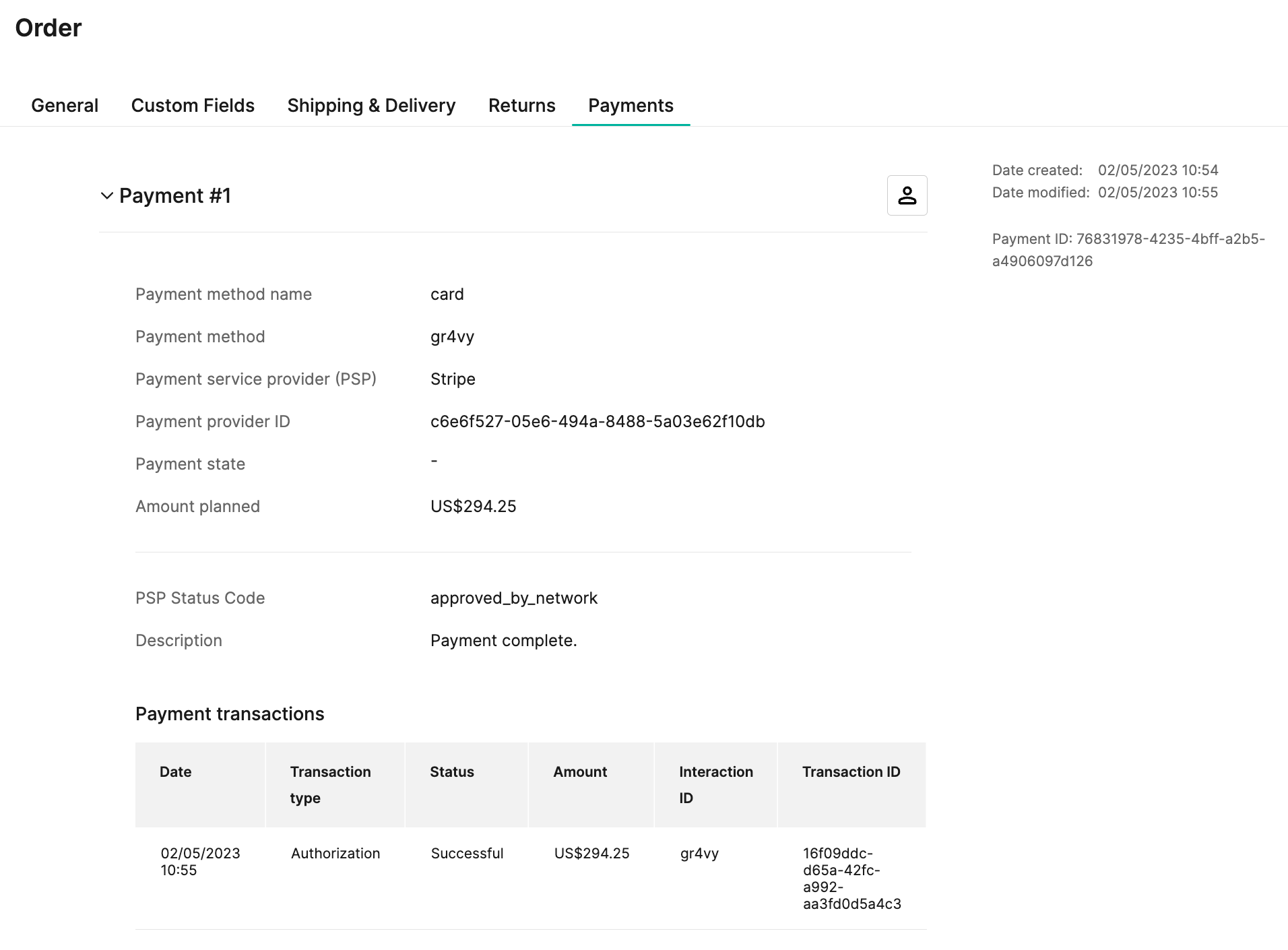
Capture a payment
An administrator can capture an authorized transaction by creating a new delivery for the order. To do this, go to Orders -> [Select Order] -> Shipping & Delivery -> and select the + Add Delivery button under Deliveries. Select the items and quantities to be delivered and then select Save to capture the payment.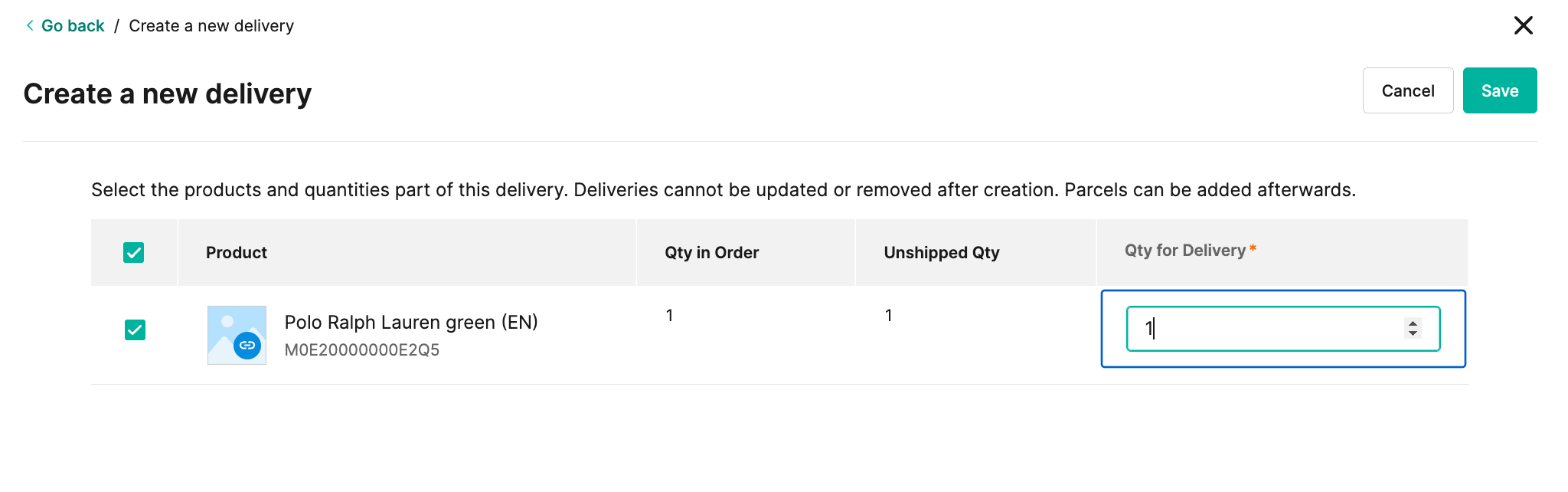
CaptureCapture is not available if the Payment Action configuration is
set to Authorize and Capture.
Refund a payment
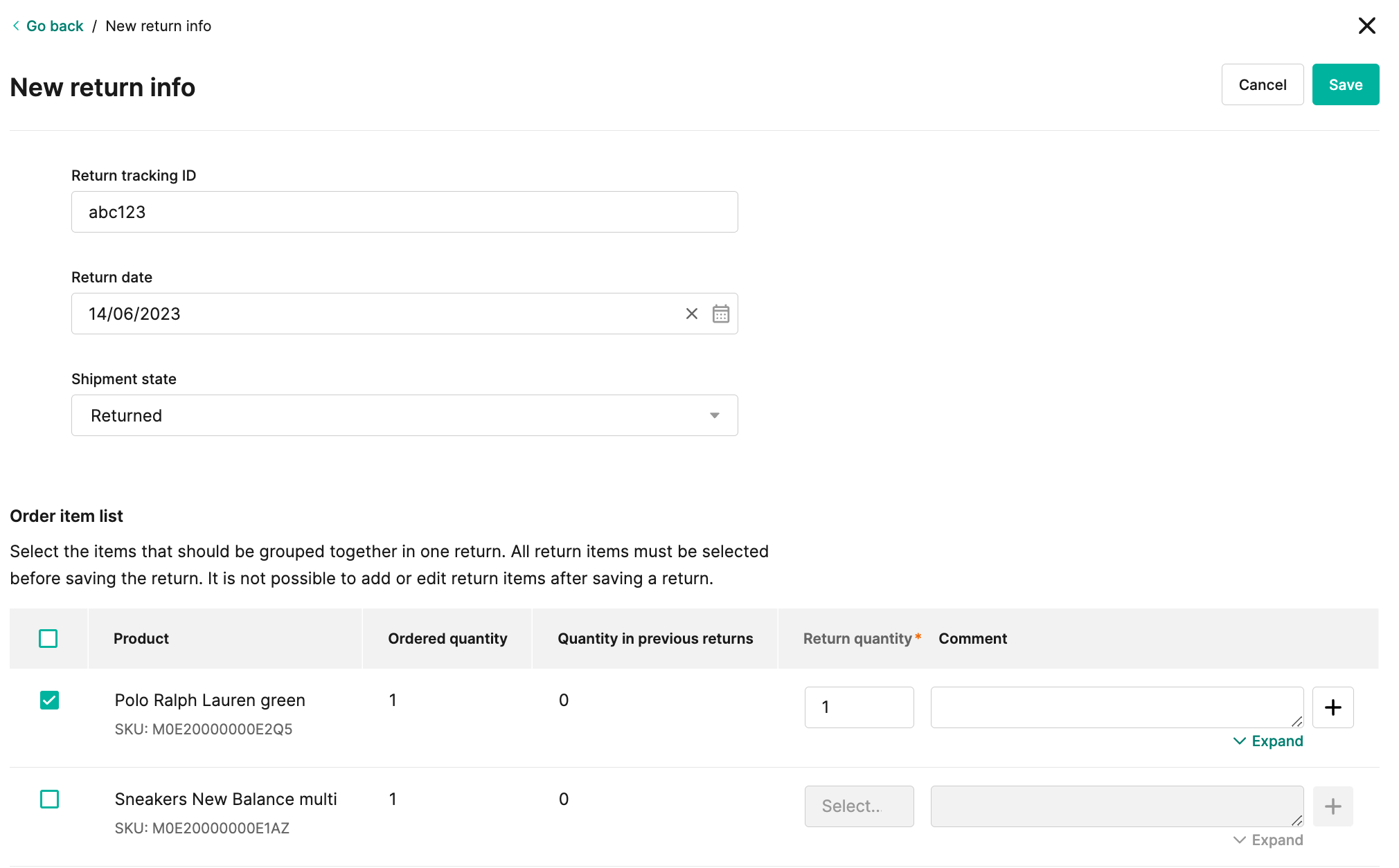
An administrator can refund a transaction by creating a new return for an order. To do this, go to Orders -> [Select Order] -> Returns -> and click the + Create return button. Select the items and quantities that are returned and then click Save to refund the payment.