

Setup
Before you configure the connector, sign up for an NMI test account. NMI offers two account types with different sign-up processes - see Test accounts for details on each and how to sign up.Connector configuration
After signing up with NMI, you can configure the connector in Gr4vy using one of the following methods:- Flow - Configure payment routing rules through your Gr4vy dashboard
- API integration - Specify the
payment_service_idwhen creating transactions to explicitly route payments to this connector
Credentials
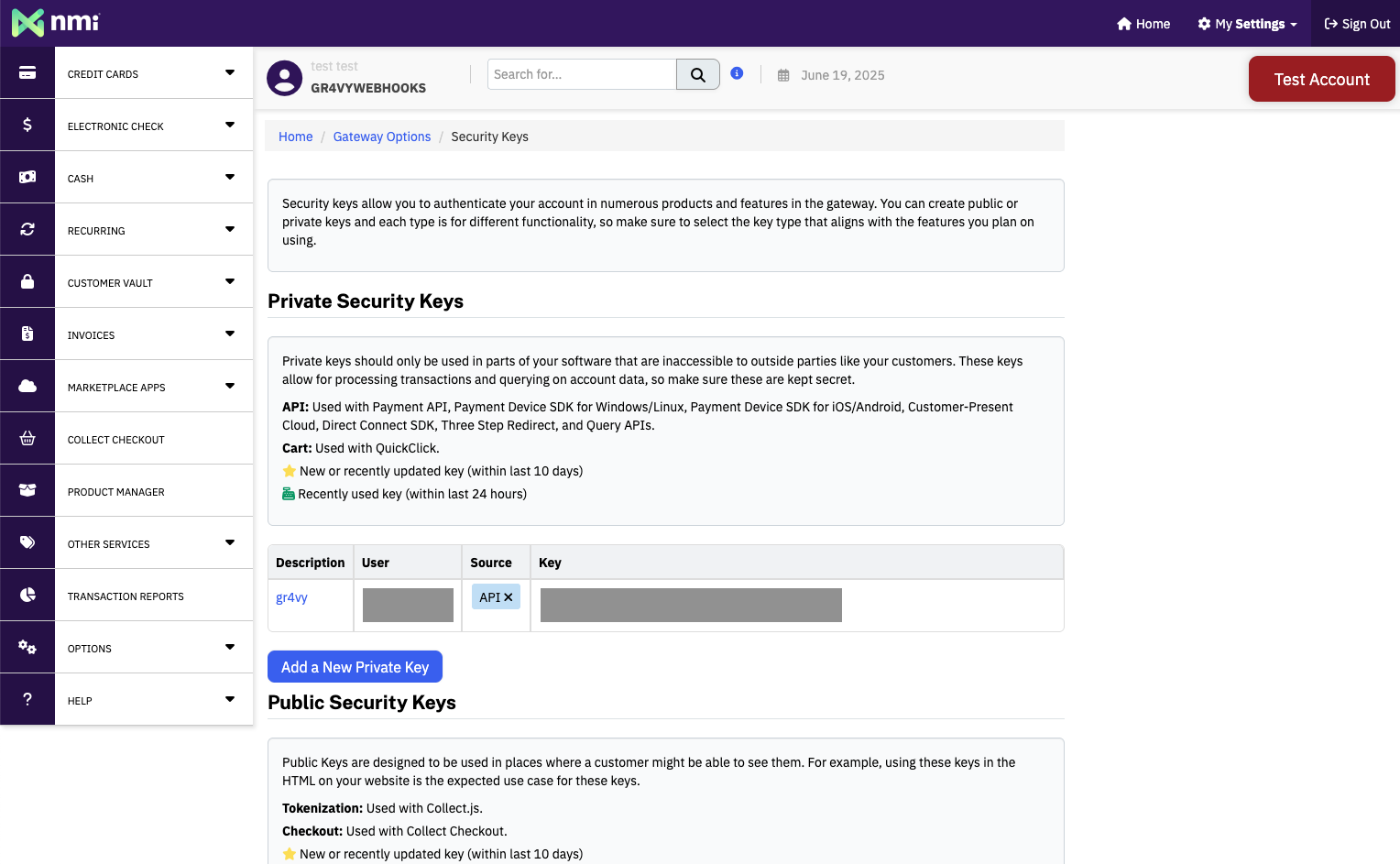
Configure the following credentials in the Gr4vy dashboard, which are obtained from your NMI administrator portal:- API Key - Your NMI security key, found in the NMI administrator portal under Options → Settings → Security keys
- Use the dedicated NMI Sandbox endpoint (sandbox.nmi.com) - Turn this on
if the preceding API Key is a security key from a self-service Sandbox
account. Leave it off (the default) if the API Key is from a Standard Test
Merchant Account. Turning this on routes the connection to
sandbox.nmi.cominstead of NMI’s main gateway. Learn more about NMI test accounts.
Capabilities
Cards are stored with NMI, which keeps and replays the Mastercard Transaction Link Identifier (TLID) itself. Nothing is needed from you or from Gr4vy.Supported countries
Supported currencies
This is a closed-loop connector. Some failover scenarios are limited. For
details, see Open-loop versus
closed-loop.
Recurring payments
NMI stores the card, and later payments on a stored card use NMI’s own token. This has the following effects:- Repeat payments on a card stored with NMI go through NMI. They can’t fail over to another connection.
- The scheme transaction ID that NMI returns is NMI’s own reference for the first payment, not the card network’s transaction ID.
- NMI doesn’t accept network tokens issued outside NMI.
Declines
NMI returns a generic gateway rejection (response code300) when a payment fails
its address verification (AVS) or card verification value (CVV) checks. Gr4vy
uses the AVS and CVV results that NMI returns to set a more specific
error_code on the transaction:
incorrect_billing_addresswhen the AVS result is a no-match.incorrect_cvvwhen the CVV result is a no-match and the AVS result isn’t.service_declinein all other cases.
service_decline, incorrect_billing_address and incorrect_cvv
aren’t retriable.
Integration
To accept card payments with NMI, use one of Gr4vy’s client-side integration methods to securely collect card details. Due to PCI compliance requirements, card data should never be sent directly to your servers. You can integrate using:- Embed - A pre-built, customizable payment form that handles the complete payment flow
- Secure Fields - Embed card input fields for building custom payment forms while maintaining PCI compliance
- Mobile SDKs - Embed SDKs for iOS, Android, and React Native
payment_service_id parameter.
Testing
If you test against a self-service Sandbox account (sandbox.nmi.com), NMI
applies processor-level restrictions that do not apply to a Standard Test
Merchant Account. These restrictions come from NMI, not from the Gr4vy
connector, but they can look like connector issues if you do not expect them.
See Test accounts for background on the difference between
the two account types.
- Test cards only - NMI only accepts a specific set of test card numbers on a Sandbox account. Check the documentation in your NMI Sandbox account for the current list of supported test cards.
- Receipt emails - Transaction receipt emails can only be delivered to the email address associated with your NMI Sandbox account. Emails addressed to any other recipient are not delivered.
- No custom descriptors - Custom statement descriptors are not applied to transactions processed through a Sandbox account.
Test accounts
NMI offers two kinds of test accounts, and they are not interchangeable:- Standard Test Merchant Account - runs on NMI’s main gateway at
secure.networkmerchants.com. An NMI Partner provisions this account for you, so contact your NMI Partner or sales representative to request one. - Sandbox account - runs on a dedicated sandbox at
sandbox.nmi.com. NMI provides self-service sign-up for this account type. To sign up, visit the sign-up page and create an account.